You've got a product demo to ship, a launch page to write, and a nagging question in the back of your mind, will the video hold together once the subject starts moving? That's the primary pressure point for founders working with text to video right now. The field looks polished from the outside, but the details that matter are still consistency, control, and whether the output helps a buyer say yes faster.
A useful way to think about the category is simple. You give the system a prompt, and it tries to turn that prompt into moving images, sometimes with sound, sometimes without. The hard part isn't making something that moves, it's making something that stays coherent while it moves, which is why some clips feel convincing at a glance and then fall apart on the second look.
What Text to Video Actually Means for Founders
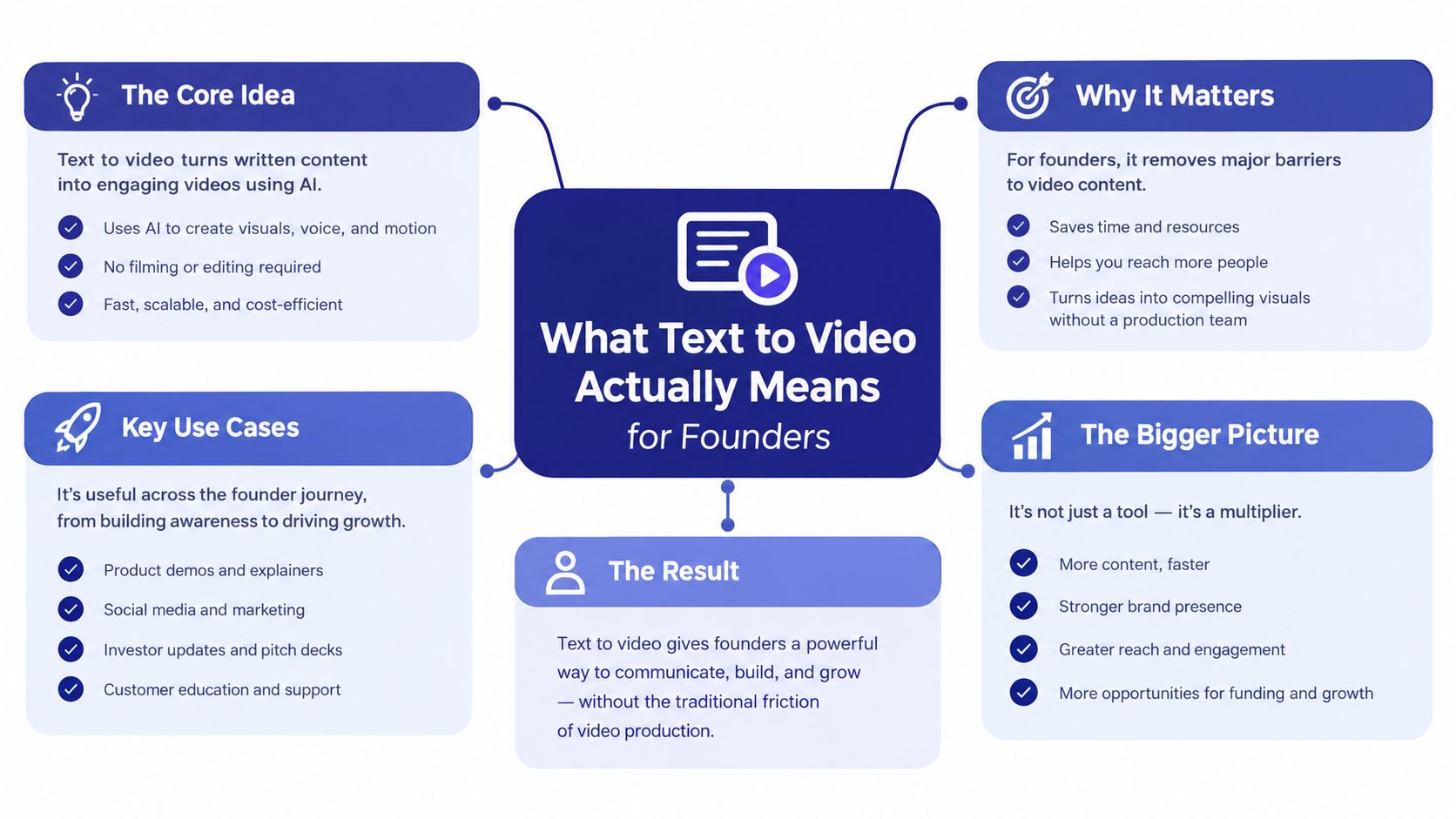
You're probably in one of two situations. Either you need to explain a product faster than a static deck can, or you're trying to decide whether a new video tool is ready for a real launch page and not just a demo reel. In both cases, text to video is the idea of describing a scene in words and getting back a video clip that matches the intent.
It is like a cooking show. The prompt is the recipe card, the model is the kitchen crew, and the output is the plated dish on camera. If the recipe says “crispy salmon, lemon glaze, quick pan turn, soft daylight,” the system has to decide what matters most, how to stage it, and how to keep the result visually consistent from one moment to the next.
The founder use case
For founders, the point isn't novelty. It's speed, repeatability, and the ability to turn a product idea, feature, or ad angle into a video asset without assembling a full production pipeline. That matters whether you're making a UGC-style ad, a short product walkthrough, or a training clip.
Practical rule: if you can't describe the scene clearly in one or two sentences, the model probably can't stage it cleanly either.
The best mental model is input to output, not magic. You write, the system interprets, and the result reflects how well the model can map language onto motion, scene structure, and visual continuity. When people get disappointed, it's often because they expected the tool to understand unstated creative intent that never made it into the prompt.
Why this matters for launch decisions
That gap between intent and output shows up fast on a launch page. If the video is meant to convince a buyer, the clip has to do more than look polished, it has to match the promise on the page, frame by frame. Founders who understand that distinction tend to choose tools more carefully, and they also present them with more care.
A launch audience doesn't need a technical lecture. It needs to know what problem the tool solves, what kind of video it makes well, and where the limits are. That framing is what separates a credible launch from a noisy one.
How Modern Text to Video Models Work
Most modern systems adapt pre-trained text-to-image diffusion models for temporal generation rather than building an entirely new video model. This reuse reduces retraining demands and supports zero-shot or few-shot video synthesis in practical settings Springer review. The result is a system that can turn a written description into a sequence of frames without requiring a separate, bespoke video dataset for every task.
The film crew analogy
A useful comparison is a short-film crew working from a script. The text encoder acts like the director, converting words into an intended scene, action, and visual mood. A scene-building component works like the set and camera team. It starts with visual noise, then organizes shapes, lighting, subjects, and composition into recognizable frames.
Temporal modules handle continuity. They pass information about props, clothing, body position, and camera movement between nearby frames, much like crew members carrying blocking notes through a shot. Without that coordination, each frame may look plausible while the sequence feels disconnected.
A strong still image can become an unstable video as soon as a character turns, an object moves, or the camera changes position. The model must preserve identity, pose, object shape, and scene layout while generating motion. More temporal attention and spatiotemporal modules can improve coherence, but they also increase compute demands. Temporal consistency therefore remains a major scaling problem.
Why clips break in practice
A model may produce an impressive opening frame, then gradually alter a face, bend an object, or shift the background. These failures reflect how the system predicts plausible visual continuations, not how a human director tracks a subject through a complete shot.
A clean still frame is not the same thing as a stable moving scene.
This distinction explains why product demonstrations, talking-head replacements, and branded characters often require more scrutiny than generic scenery. A scenic clip can survive small changes. A product clip may fail if its logo changes, a screen layout moves, or the same character looks different halfway through.
Evaluation has a similar limit. A polished preview does not prove reliable temporal behavior across prompts, edits, or repeated generations. Founders should test the cases their product promises to handle, then show representative outputs on an EarlyHunt launch page rather than presenting one unusually successful render as the whole product.
The technical stack also explains differences in responsiveness. Adapted image foundations can produce a useful first pass quickly, while weaker continuity mechanisms create attractive fragments instead of dependable sequences.
When presenting a tool, describe the supported use case precisely. The model does not understand video as a person does. It predicts frames and sequences within constraints, so launch copy should name those constraints alongside the strengths.
A Practical Workflow and Prompt Techniques
A strong workflow starts before generation. The cleanest results usually come from a short brief that tells the model what the subject is, what's happening, how it should feel, and what camera logic to follow. If you skip that structure, the model has to guess too much, and guesswork shows up as drift.
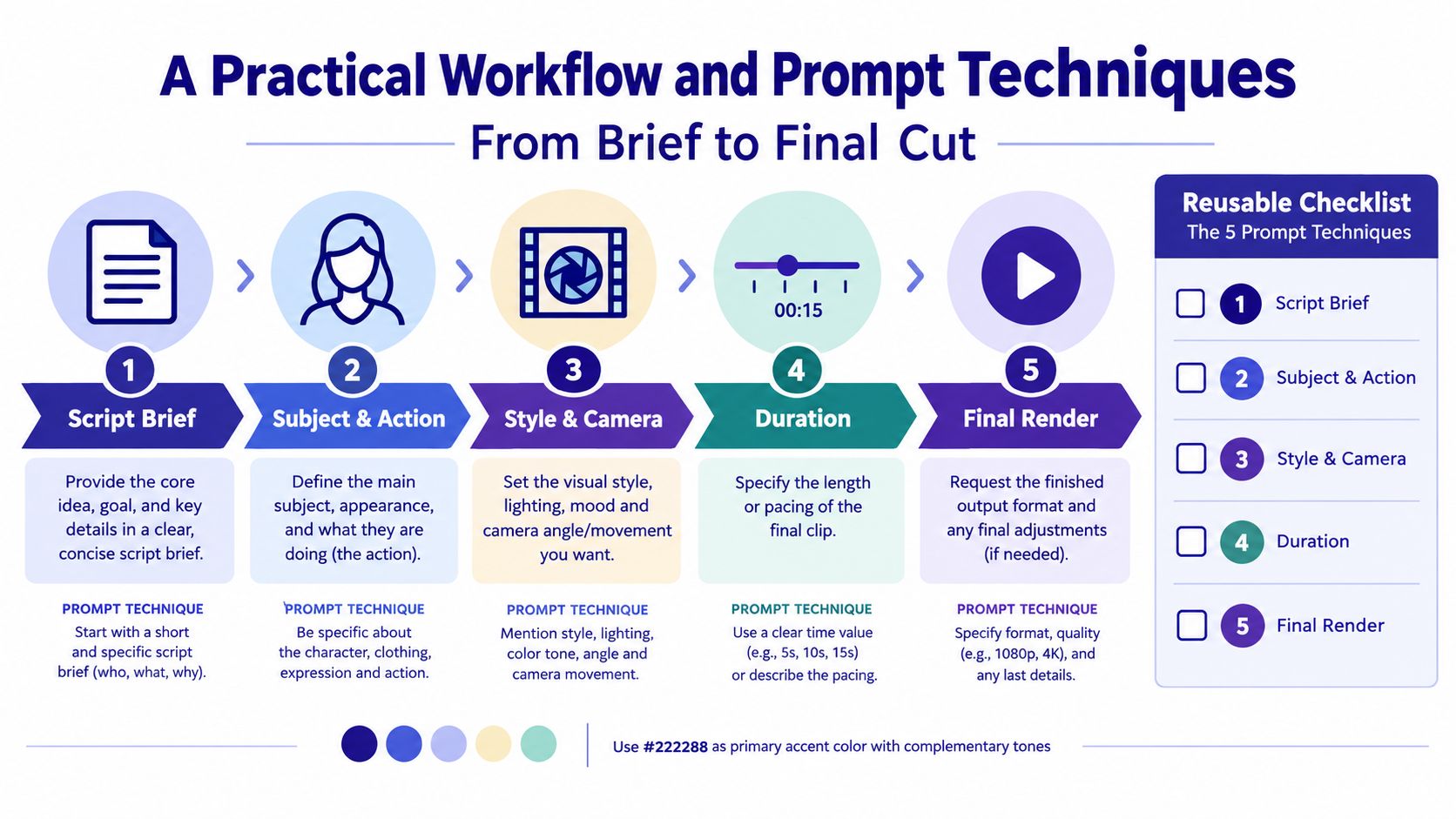
The five-stage prompt workflow
- Script brief. Write one sentence on the goal, audience, and message.
- Subject and action. Name the object, person, or scene and the exact movement.
- Style and camera. Choose the look, framing, and angle.
- Duration. Keep the requested clip length aligned with what the scene can realistically hold.
- Final render. Review for continuity before you ship.
That sequence sounds basic because it is basic. The challenge is consistency, not complexity. A prompt that clearly separates subject, action, style, camera, and duration gives the model fewer excuses to improvise.
Prompt details that actually help
Use concrete nouns and verbs. “A founder presenting a dashboard in a bright studio, slow push-in, clean SaaS aesthetic” is easier to work with than “professional startup video.” The first prompt gives the model a subject, motion, mood, and camera direction, while the second leaves too much open.
If you want a reusable checklist, keep it visible during drafting:
- Subject: Who or what is on screen?
- Action: What changes from start to finish?
- Style: Is it cinematic, product-led, animated, or minimal?
- Camera: Wide shot, close-up, pan, push-in, handheld?
- Duration: Short enough for the scene to stay coherent?
A prompt builder can help teams standardize that structure, especially when different people on the team are writing prompts. One practical example is the EarlyHunt project page for a prompt builder, which is useful when you want a repeatable way to turn rough ideas into generation-ready briefs: prompt builder.
Where people get tripped up
The most common error is asking for too much in one clip. A founder may want a product, a presenter, a logo reveal, and a mood shift all at once. That usually makes the output wobble because the scene has too many moving parts for one shot.
Break the story into smaller beats when you can. If the first clip establishes the product and the second clip shows use, the model has less work to do in each pass, and the final edit is easier to control.
Comparing Leading Text to Video Approaches
Founders usually compare tools by quality first, then realize access, licensing, and turnaround matter just as much. A cinematic clip that looks better on a benchmark can still be the wrong choice if it can't fit your publishing cadence, your content rules, or your budget.
One early listing that signals where the market is going is the EarlyHunt page for a cinematic generator, which shows how launch directories now frame video tools by use case rather than raw model type: Sora 2 AI Video Generator with Audio. That's a useful lens because buyers don't ask for “a diffusion model,” they ask for a specific output.
Leading Text to Video Approaches Compared
| Approach Family | Prompt Fidelity | Motion Realism | Temporal Consistency | Typical Latency | Cost per Clip |
|---|---|---|---|---|---|
| Closed APIs | Usually strong on direct prompt matching | Often strong for polished clips | Often better controlled, especially on short scenes | Often faster for simple requests | Usually higher, but predictable |
| Open-weight diffusion models | Can be flexible, especially with tuning | Varies widely by setup | Often sensitive to prompt design and compute | Depends on deployment | Can be lower per run if infrastructure is in place |
| Transformer-based world models | Promising for scene planning and multi-step structure | Can handle broader sequencing in some cases | Often positioned around long-range coherence | Varies with system design | Depends on access model and hosting |
What that means in practice
A cinematic product shot can expose identity drift fast. The logo stays correct, the surface reflections look good, but the product shape or character face shifts between frames. That kind of failure is painful on a launch page because the buyer notices it immediately.
A multi-shot sequence creates a different issue. Motion realism can start to collapse once the scene needs transitions, object interaction, or repeated actions across clips. In those cases, a model that looks impressive in a single pass may be less usable than a simpler system that holds the scene together.
Decision rule: if your buyer cares more about turnaround than perfection, the fastest usable API often beats a more elaborate stack.
For a social clip with a short shelf life, a lightweight API can win on speed and iteration. You can test copy angles, swap hooks, and publish quickly. That doesn't make it the most advanced option, only the one that matches the job.
How Knowlify Can Help
Knowlify is useful when your real problem isn't just generating motion, but turning documents, URLs, and rough ideas into narrated, animated videos that people can actually consume. It offers both a self-serve platform and a full-service studio, so teams can either create directly or hand off scripting, storyboards, and animation end to end.
When it fits
Knowlify makes the most sense when the source material already exists and the challenge is packaging it well. That includes policies, SOPs, onboarding guides, product explainers, and internal training materials that don't get read because they're too text-heavy.
Its self-serve product supports chat-based editing, AI script generation, document and URL conversion, voice tools, brand kits, custom characters, localization, interactivity, and export options for teams that need to move quickly. The studio side matters when a founder wants a done-for-you path instead of building the workflow internally.
Why founders should care
For startup teams, the value is less about novelty and more about conversion and comprehension. If your audience needs to understand a process, a feature, or a policy, a narrated animation can be easier to absorb than a wall of text. Knowlify also helps when your team needs consistency across regions or departments, because templates and brand controls keep the output aligned.
If you want a broader directory of text to video tools and related animated-video makers, Knowlify also keeps a useful resource page here: text to video tools.
A good fit versus a bad fit
It's a good fit when you need rapid production, multilingual delivery, or a mix of self-serve and studio support. It's a weaker fit if you want deep experimental control over model behavior itself, because the practical focus is content production rather than model research.
For founders, that difference matters. One tool helps you create video assets faster. The other helps you study the model layer in greater depth. Those are related problems, but they're not the same one.
How to Evaluate Text to Video Quality Beyond Looks
A demo can look convincing and still fail when you test brand consistency, prompt compliance, or scene continuity. Evaluation has therefore moved beyond a simple “does it look good” check toward multi-dimensional scoring. VBench is used as a 16-dimension benchmark split into video quality and video-condition consistency, and T2VEval-Bench is built around 148 prompts and 1,783 generated videos from 13 models VBench and T2VEval survey.
What to score first
The goal is not a lab-style benchmark for its own sake. The goal is to break your use case into the things buyers notice. That includes subject identity preservation, motion smoothness, background stability, flicker, and whether any text on screen is readable and accurate.
Apple's evaluation work is useful here because it argues that common metrics like CLIPScore miss fine-grained prompt compliance, and it shows that breaking evaluation into 2,000 prompts and 12,000 atomic questions produced stronger human alignment Apple ETVA. One broad “looks good” vote hides too much.
A simple scoring setup
Build a small set of prompts from your own business case, not someone else's benchmark. Thirty prompts is enough to expose patterns if they reflect your real outputs, such as product demos, talking-head scenes, short social clips, and brand visuals. Then have a small reviewer panel score each clip on two axes, prompt fidelity and temporal coherence.
A practical review grid can look like this:
- Subject consistency: Does the person or product stay identifiable?
- Action fidelity: Does the motion match the prompt?
- Style coherence: Does the visual style stay stable?
- Temporal smoothness: Do frames transition cleanly?
- Text accuracy: If words appear on screen, are they readable and correct?
- Narrative clarity: Can a buyer understand the clip without extra explanation?
Practical rule: if reviewers disagree on whether the clip matches the prompt, the model probably isn't ready for a customer-facing launch.
Where automated metrics fall short
Automation helps, but it will not fully catch subtle brand-character drift or emotion changes that human buyers notice right away. That unresolved gap is part of why recent surveys still call evaluation a bottleneck in the field, especially for long-term character consistency and human-preferred metrics.
Use the benchmark as a gate, not a trophy. If a model passes your prompts but fails on your actual product identity, the benchmark score will not save the launch.
Choosing a Text to Video Tool for Your Startup
A founder-friendly buying rubric should be boring in the best way. You want a tool that scores well on the things buyers feel, not the things marketing pages like to celebrate. That means weighing prompt control, multi-shot coherence, character consistency, API maturity, pricing clarity, content-policy clarity, data handling, and export options.
A practical shortlist framework
Score each candidate from poor to strong across the criteria below, then multiply the score by how much that factor matters for your use case.
- Prompt control: Needed when you want precise marketing copy or product scenes.
- Multi-shot coherence: Critical for explainers and story-driven demos.
- Character consistency: Essential for avatars, spokespeople, and recurring brand characters.
- API maturity: Matters if you plan to automate generation or embed it in a product.
- Pricing transparency: Important when render usage will grow quickly.
- Content-policy clarity: Non-negotiable if you work in regulated or branded categories.
- Data handling: Key when prompts include confidential product information.
- Export options: Useful for editing, repurposing, and distribution.
Match the tool to the job
For marketing hero videos, you want strong prompt fidelity and clean visual polish, even if turnaround is a little slower. For education content, clarity and consistency matter more than flashy motion. For product demos, the biggest risk is identity drift or misleading scene changes, so coherence should outrank style. For short-form social clips, speed and iteration often beat cinematic complexity.
That's why a demo day winner can still be the wrong choice for your team. If the tool looks impressive but can't support the exact workflow you need, you'll spend time patching the gap with manual edits.
A selection rule that keeps you honest
Start with the use case, then rank tools against the rubrics that follow from it. If you're building around recurring brand assets, choose for consistency. If you're testing hooks for fast social distribution, choose for turnaround. If you need automation, choose for API maturity and export control.
The simplest mistake is choosing the prettiest sample. The better move is to choose the tool that matches your production reality.
Launching Your Text to Video Product on EarlyHunt
The strongest launch pages don't sell “AI video” as a category. They sell a concrete job, such as creating UGC ads, product demos, explainer clips, or internal training assets. That positioning makes the buyer problem obvious in the first few seconds, and it gives your page a sharper SEO footprint too. For launch execution, EarlyHunt's launch guide is worth following because it reflects the way the platform handles weekly exposure, listing pages, and backlink options.
What to prepare before launch day
Your asset kit should do the selling for you. Lead with a 30-second hero video generated by the product, then add before-and-after samples, a prompt library, and at least one clean 1080p product demo. If the tool supports different modes, show those differences directly instead of burying them in copy.
A strong launch page usually includes:
- A clear promise: one sentence on the exact use case.
- A real demo: not a teaser loop, but an actual workflow clip.
- Prompt examples: show input and output side by side.
- Use-case screenshots: help visitors imagine their own content.
- FAQ content: answer the objections people ask before they click away.
How to position the page
Use the keyword naturally in the title, the H1, the first paragraph, and the meta description. Then add a FAQ block that answers long-tail questions around output quality, branding, file formats, and workflow fit. That structure helps the page rank for people searching for practical solutions instead of just browsing product categories.
EarlyHunt matters here because it combines launch visibility with a persistent listing page, so the page can keep working after launch week ends. Its Premium Launch also includes a guaranteed dofollow backlink, skip-the-queue priority, a premium badge, and dofollow coverage in the launch blog post, while the launch kit gives you ready-made share assets. Those details matter if your go-to-market plan relies on both discovery and SEO.
The launch-day rhythm
Don't treat launch as a single post and a hope. Build an outreach list, line up indie maker communities, prepare a concise X thread, and decide when to cross-post to Product Hunt so the story doesn't fragment. If the comments reveal a repeated objection, capture it immediately and turn it into a FAQ update.
That post-launch routine matters more than founders expect. The best next move is usually not a new feature, it's a better explanation of the one you already have. If users keep asking the same question, your page is telling you where the message is weak.
Where Text to Video Is Heading and What to Do Next
A founder who ships text to video quickly learns the market is not asking for novelty. It is asking for clips that stay on brand, keep identities stable, and fit into a real workflow without constant manual cleanup. The technical side is heading in the same direction, with more attention on temporal coherence, multi-shot story understanding, character identity locking, native audio, lip-sync, and style control.
What to watch in 2026
Buyers will keep asking harder questions about quality and consistency, so evaluation will matter more in procurement. Frameworks like VBench are already shaping how people talk about quality, and that kind of benchmarking is likely to become more common in buying decisions. Open-weight systems may also keep closing the gap with closed APIs, which means deployment, licensing, and data control will weigh more heavily in tool selection.
Synthetic media disclosure will matter too. If a product generates videos that could pass for real footage, the launch page should explain provenance, rights, and responsible use in plain language. Buyers will ask where the content came from and how it should be used.
The founder decision path
Start with the use case. Score candidate tools against a real rubric, not a demo reel. Then ship a launch page with actual samples and a prompt library, and let user comments guide the next round of improvements. That sequence gives you better product judgment and a cleaner market story.
One practical move this week is enough. Write ten prompts that match your real customer use case, generate outputs from those prompts, and score them for consistency before you make a launch claim. If the results drift on identity or style, that is not a marketing problem. It is a product signal.